

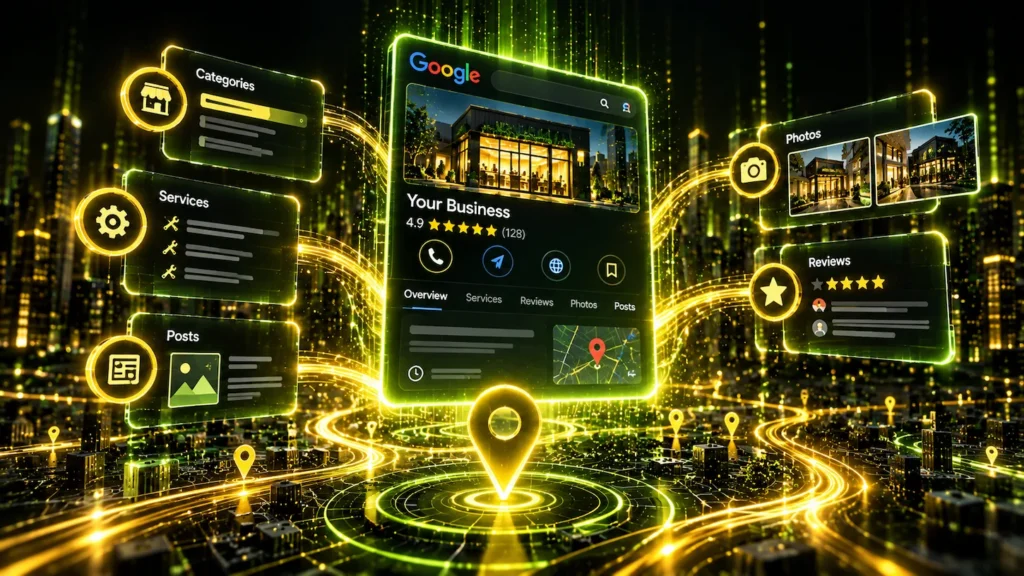
Imagine two businesses offering the same service, in the same neighbourhood, with similar prices and equally happy customers. One appears near the top of Google Maps, attracting calls, website visits, and new customers. The other is practically invisible. What’s the difference? Often, it’s how well their Google Business Profiles are optimized. To optimize your Google Business Profile for better local rankings, you need to improve its relevance, build trust through customer activity, publish useful content, strengthen your online reputation, and consistently demonstrate to Google that your business deserves to be found. And no, simply filling out your business information won’t magically make you the king of Google Maps.
Why Google Business Profile Is So Important for Local SEO
Think about the last time you needed a dentist, plumber, restaurant, or mechanic. Did you pull out a phone book from 1998? Probably not. You searched Google.
When people search for local services, Google frequently displays a map with nearby businesses. This section is commonly called the Google Local Pack, and appearing there can put your company directly in front of potential customers before they even visit a website.
Your Google Business Profile (GBP) is one of the main sources of information Google uses to understand and display your business in local search results.
According to Google’s official documentation, local rankings are primarily influenced by three factors:
Relevance – How closely your business matches what someone is searching for.
Distance – How far your business is from the person searching or the location specified in their search.
Prominence – How well-known and established your business appears to be, including signals such as reviews and links.
You can’t move your business closer to every potential customer. Unless you’ve invented teleportation, in which case SEO might be the least interesting thing about your company.
But you can improve how relevant, trustworthy, and established your business appears.
That’s where real Google Business Profile optimization begins.
And here’s something important: we’re not going to waste your time explaining how to enter your business name, upload a logo, add a phone number, or click “Publish.” Those are basic setup tasks, not an advanced optimization strategy.
Instead, let’s explore 5 practical ways to improve your Google Business Profile visibility on Google Maps, attract more local customers, and turn your listing into a genuine marketing asset.
1. Choose the Right Business Category – And Don’t Overcomplicate It
Your primary business category is one of the most important relevance signals in your Google Business Profile. It tells Google what your business actually does.
Sounds simple? Well, it mostly is.
Google doesn’t let you invent categories. You must choose from its predefined list. You can also click “Add another category” and select up to nine additional categories.
But here’s the funny part – just because Google allows ten categories doesn’t mean you need ten.
If you’re a plumber, your primary category will probably be “Plumber.” Simple enough. You might also offer drain cleaning, leak detection, and emergency repairs, but Google doesn’t necessarily provide separate categories for every service. That’s what the Services section is for.
And please, don’t start adding “Electrician,” “General Contractor,” and every vaguely related category just to cover more searches. Google isn’t a buffet where you grab everything because it’s included.
The bottom line? Choose the single category that best describes your business. Add others only if they genuinely represent additional business activities. If just one category fits perfectly, stick with one. A relevant category is far more valuable than nine unnecessary ones.
2. Turn Your Services Section Into a Relevance Powerhouse
Many businesses add three or four generic services to their profile and consider the job finished.
That’s a missed opportunity.
Your Services section helps customers understand exactly what you offer and provides Google with more context about your business.
Imagine a home renovation company that lists only “Renovations.”
Now compare that with a company that accurately lists kitchen renovations, bathroom remodelling, basement finishing, and flooring installation.
The second profile communicates a much clearer picture of the company’s expertise.
For stronger optimization:
Add your actual services individually, where the profile allows.
Write short, clear descriptions explaining what each service includes.
Use the language real customers use when searching.
Include meaningful details that distinguish your services.
Keep the information accurate and updated.
Avoid repeating the same keyword ten times. Google understands natural language, and customers don’t enjoy reading something that sounds like a malfunctioning robot.
The objective is simple: make it easier for Google to understand what you offer and easier for customers to recognize that you’re the right business.
3. Use Google Business Profile Posts – But Don’t Turn Them Into a Second Blog
Google Business Profile posts are a useful way to communicate with potential customers directly through Google Search and Maps. But many businesses make one mistake – they treat these posts like regular blog articles.
They’re not the same thing.
Google offers three main post types: Updates, Offers, and Events. Updates are the most flexible option, allowing you to share news, completed projects, useful information, and links to your website.
Each post description has a limit of approximately 1,500 characters. That’s hardly enough for a proper blog article, and there’s a good reason for that – Google Business Profile posts are designed for quick updates, not long-form content.
What Should You Actually Publish?
Think of Google Business Profile posts as small advertisements or announcements that give people a reason to interact with your business.
Here are some practical examples:
Completed work: “Another basement renovation completed! See how we transformed an unfinished space into a comfortable family room.” Add a real project photo and link to the full case study.
Service highlights: “Dealing with a leaking roof? Our team provides professional roof inspections and repairs.” Include a relevant image and a booking link.
New blog articles: Published a guide about preparing your roof for winter? Don’t copy the entire article into your Google Business Profile. Write a short, interesting teaser and link to the original article on your website.
Customer success stories: Share a specific result from a recent project, with the customer’s permission.
Special offers: Promote a genuine limited-time discount using the Offers post type.
Should You Share Your Blog Articles?
Yes – but as previews, not duplicates.
Let’s say you’ve published a 3,000-word article titled “How to Prepare Your Roof for a Canadian Winter.”
Your Google Business Profile post could say:
“Winter can be brutal on your roof, and small problems often turn into expensive repairs. We’ve put together a practical guide covering five warning signs homeowners shouldn’t ignore. Read the full article on our website.”
Add a relevant image and a “Learn more” button linking directly to the article.
But here’s something important: Google Business Profile posts aren’t a replacement for blog SEO. A post on Google Maps generally won’t compete with a well-optimized website article in traditional organic search results.
Its main purpose is to help people who already discover your business learn more about your services, explore your content, or take action.
How Often Should You Post?
One useful post per week is a reasonable starting point, but don’t publish just to maintain a schedule. Google hasn’t confirmed that posting frequency directly improves local rankings.
And please, avoid copying entire blog articles, publishing repetitive keyword-stuffed advertisements, or posting generic messages like “We’re the best! Contact us today!” every few days.
The bottom line? Your website blog helps attract people searching for information. Google Business Profile posts help engage people who encounter your business in Google Search or Maps. Use each for its intended purpose, and let them work together.
4. Google Reviews – One of the Most Powerful Factors in Local Rankings
Let’s be clear – Google reviews matter. A lot. Google officially confirms that more reviews and positive ratings can help improve local rankings. A business with 200 genuine reviews and a strong rating often has a serious competitive advantage over a newcomer with just three reviews.
But here’s the problem nobody likes talking about – getting those reviews is surprisingly difficult.
Happy customers rarely wake up thinking, “What a beautiful morning! I should write a detailed Google review about yesterday’s plumbing repair.”
Unhappy customers, on the other hand, can suddenly become professional writers.
And please, let’s skip the revolutionary advice about creating QR codes, sending review links, and politely asking customers for feedback. Those things make leaving a review easier, but they don’t necessarily make people want to leave one.
So how do you motivate customers?
Give them a reason to participate. Make the experience worth their time through exceptional service, a memorable personal touch, or a thoughtful follow-up. You can also run a genuine customer appreciation program, but there’s an important distinction: Google prohibits offering money, discounts, gifts, or other incentives in exchange for reviews, even when you ask for honest feedback rather than five stars.
A $20 reward for posting a review might sound like a brilliant marketing investment, especially for a new business. Unfortunately, it can violate Google’s policies and put your profile at risk. A safer approach is to reward customer loyalty independently of whether anyone leaves a review.
What Makes a Review Valuable?
A detailed review describing the actual service, the customer’s experience, and the result is far more convincing than a lonely five-star rating.
For example, “Excellent service!” is nice. But “Alex repaired our leaking basement pipe, explained the problem clearly, and finished the job the same afternoon” tells future customers something genuinely useful.
Don’t script reviews or pressure customers to mention specific keywords or locations. Authentic details are much more valuable than a collection of suspiciously similar testimonials.
Thinking About Buying Google Reviews? Think Again.
A quick search on Fiverr or similar platforms can uncover sellers promising 100, 200, or even 500 glowing Google reviews for $50.
Some claim their reviews come from real accounts, look completely natural, and are impossible to detect.
Tempting? Absolutely. Smart? Not particularly.
Google uses automated systems and other methods to detect suspicious review activity. Fake reviews may disappear, review functionality may be restricted, and serious or repeated policy violations can lead to additional enforcement actions.
Could purchased reviews temporarily slip through? Yes. But nobody can credibly promise they’ll survive, and there’s no reliable basis for claiming a specific percentage chance of getting caught.
Worse, if your Business Profile is suspended, restoring it can involve a difficult verification and appeals process. Losing visibility in Google Maps can be devastating for a business that depends on local customers.
The bottom line? Genuine reviews are worth investing time and resources into, but purchasing reviews or paying customers to post them isn’t a clever shortcut. Build a repeatable, policy-compliant review strategy, deliver experiences worth talking about, and treat your Google Business Profile as an asset too valuable to gamble with.
5. Upload Photos That Prove Your Business Is Real and Active
Both clients and Google, of course, love evidence.
Imagine searching for a landscaping company. One profile contains a blurry logo and a photo of an empty parking lot. Another shows beautifully completed gardens, equipment, team members, and before-and-after transformations.
Which business would you contact?
Exactly.
Google Business Profile photos should communicate credibility, quality, and authenticity.
Consider uploading:
Before-and-after images of completed work.
Real photographs of your team and workplace.
Examples of products and services.
Exterior and interior photos where relevant.
Images showing your business in action.
Quality matters more than flooding your profile with hundreds of nearly identical images.
Upload clear, properly lit, authentic photos that follow Google’s image guidelines.
There is no official Google rule saying that adding a certain number of photos every week will improve your rankings. However, regularly refreshing your images can help keep your profile useful and persuasive.
One more thing: don’t waste hours stuffing keywords into photo filenames or GPS metadata expecting a ranking miracle. Google hasn’t established those tactics as meaningful local ranking factors.
Your photos should convince people, not attempt to hypnotize an algorithm.
Final Thoughts – Don’t Overcomplicate Google Business Profile Optimization
Let’s be honest – optimizing your Google Business Profile isn’t rocket science. You don’t need secret techniques, mysterious algorithms, or a marketing guru charging you $500 to explain where the “Add Photo” button is.
As we’ve covered in these five steps, the essentials are pretty straightforward: choose the right business category, organize your services, publish useful updates, add authentic photos, and build a strong collection of genuine customer reviews.
But here’s where businesses often go wrong – they fall into one of two extremes.
Some become obsessed with their Google Business Profile. They publish updates constantly, upload photos every other day, and treat their listing like a second website. Meanwhile, their actual website is outdated, their Local SEO is nonexistent, and nobody has thought about building local authority or earning relevant backlinks. That’s a problem.
Google doesn’t evaluate your Business Profile in isolation.
Your profile is an important part of Google Maps visibility, but rankings also depend on your website, local relevance, business location, online reputation, and other signals. We explore these factors in more detail in our guide, How to Increase Visibility on Google Maps?
Then there’s the opposite extreme – businesses that create a profile, forget it exists, and expect customers to magically appear. No fresh photos, no updates, unanswered reviews, and services that haven’t been reviewed since the business opened.
Neither approach makes much sense.
The best strategy is somewhere in the middle. Keep your Google Business Profile accurate, useful, and reasonably active, but don’t turn managing it into a full-time job. Invest just as much attention in the broader Local SEO strategy that supports your visibility in Google Maps.
And if you’d rather focus on running your business, OrbiOn Digital can help bring everything together – from Google Business Profile optimization to website improvements and a comprehensive Local SEO Service in Calgary.
Because Google Business Profile is an important marketing tool. But it’s still just one tool – not the entire toolbox.
Let’s Make It Clear
Google allows one primary category and up to nine additional categories, but there's no reason to use all ten. Choose the category that best describes your main business activity and add others only if they genuinely apply. Remember, categories describe types of businesses, not individual services. If only one category fits your business, one is perfectly fine.
Adding relevant services helps Google better understand what your business offers and may improve its relevance to certain searches. However, simply adding more services doesn't guarantee higher rankings. Focus on accurately describing your actual services, using natural language, and avoiding keyword stuffing. Ten well-described services are more useful than fifty variations of the same thing.
Yes, but don't copy entire articles. Google Business Profile posts have a description limit of approximately 1,500 characters and are designed for short updates, not full-length blog content. Instead, publish a brief, engaging summary with an image and a link to the original article. Your website blog is better suited for attracting informational search traffic, while Google Business Profile posts help engage people who discover your business.
Yes, purchasing fake reviews can lead to serious consequences. Google actively detects suspicious review activity and may remove fraudulent reviews, restrict review features, or take additional enforcement action. Offering customers money, discounts, or gifts in exchange for reviews also violates Google's policies. Building genuine reviews takes longer, but risking your entire local presence for a few extra stars is hardly a brilliant business strategy.
There's no official Google requirement to publish a certain number of posts or photos every week. A useful post once a week and occasional fresh photos can be a reasonable routine, but quality matters more than frequency. Keep your services accurate, respond to reviews, and share meaningful updates when you have something worth showing. Most importantly, remember that Google Maps rankings depend on more than your Business Profile alone – your website, local reputation, business location, and broader Local SEO efforts also matter.

Our team shares practical insights, helpful tips, and actionable strategies across SEO, paid advertising, social media marketing, website development, content, and more. We aim to make digital marketing easier to understand and help businesses grow online.
